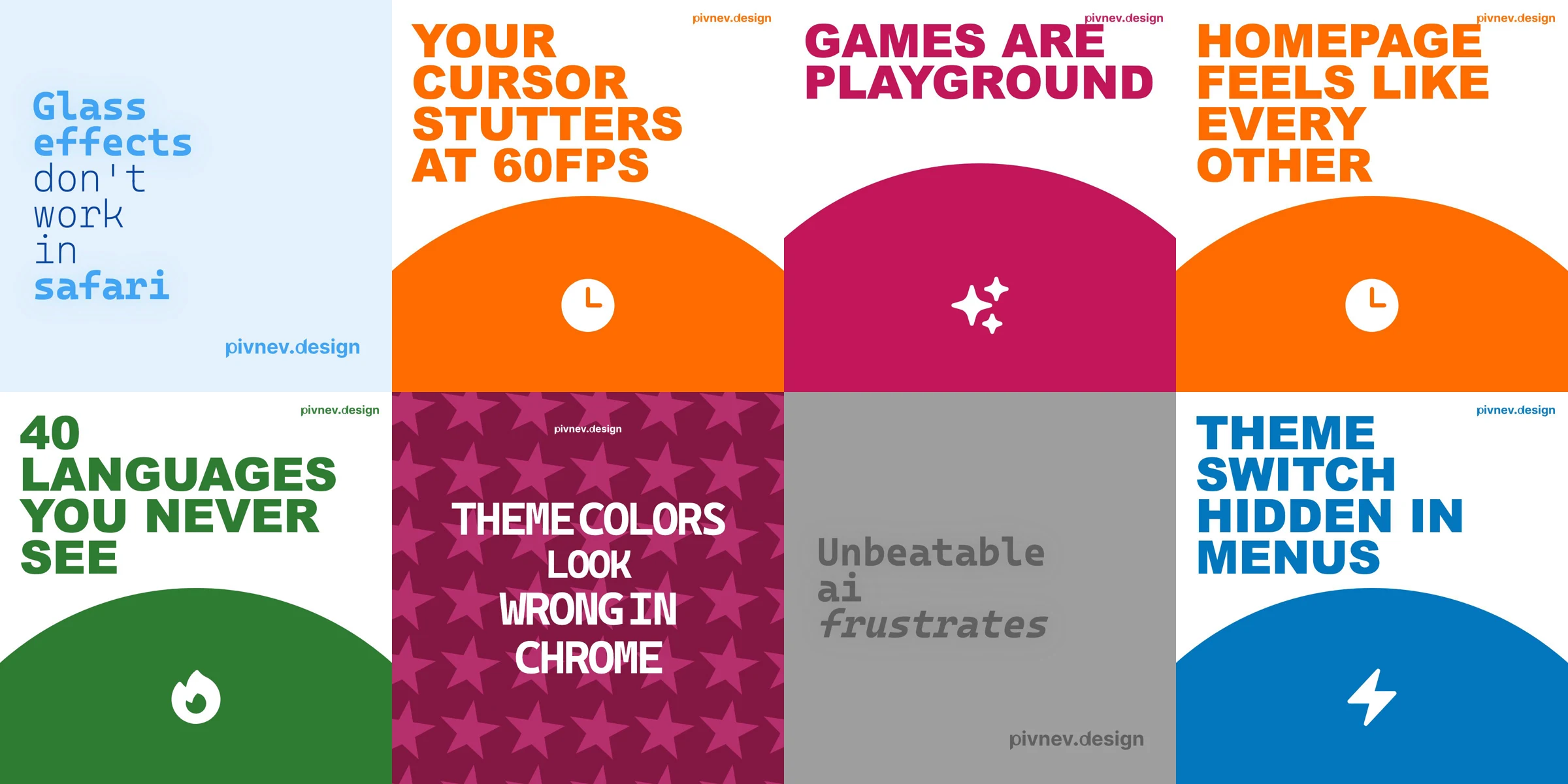
Video Content Factory: how I made 84 videos in 15 minutes
In short, this is an analysis of my video generation pipeline for social networks: from the “accounts are dead, we need to do something urgently” state to a working render in one pass.
🧪 Why did I even take up this pipeline
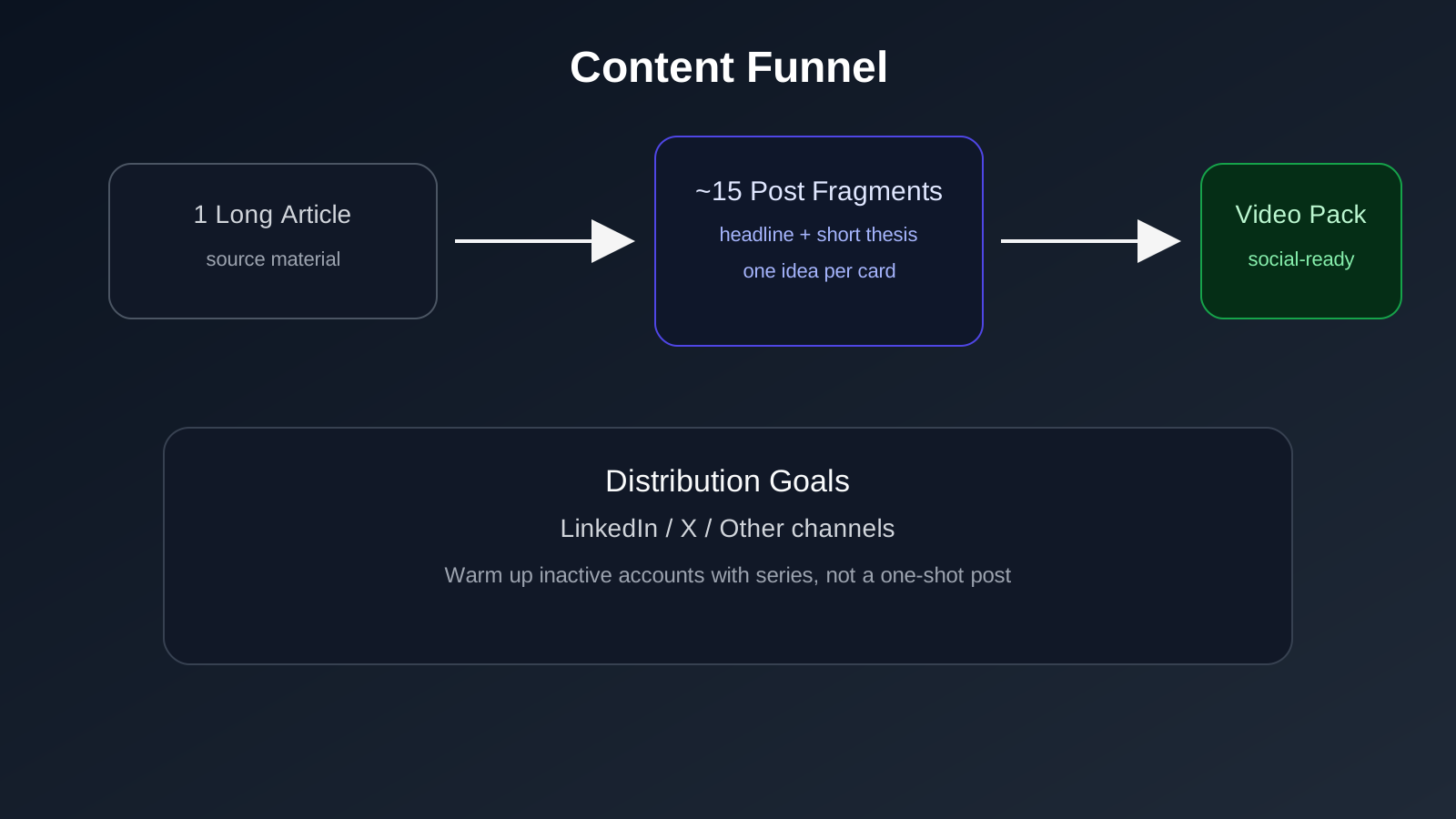
The goal was not to “just write articles.” The task was to return activity to social networks - LinkedIn, Twitter and other channels where I had not been able to do anything systematically for a long time.
I immediately understood: publication alone cannot cure such a story. If the account has been dormant for a long time, you need to warm it up with a series of touches, and not one long post and then wait for the weather by the sea.
So I made a practical decision:
- break each article into short posts;
- prepare a separate visual for each post;
- collect publications in batches, rather than manually one at a time.
On average, there were about 15 posts per article. At some point, a total of 84 posts had accumulated. At such a volume, manual assembly of visuals is no longer a “neat job”, but a pure bottleneck.
🎯 What was a priority from day one
My #1 priority was stability. Not “the most fashionable video”, not “maximum wow”, but a predictable result that does not fall apart on the 50th video.
I recorded this as down to earth as possible:
- First determined output standards.
- Then I just started collecting templates.
- Then I drove iterations until a stable result.
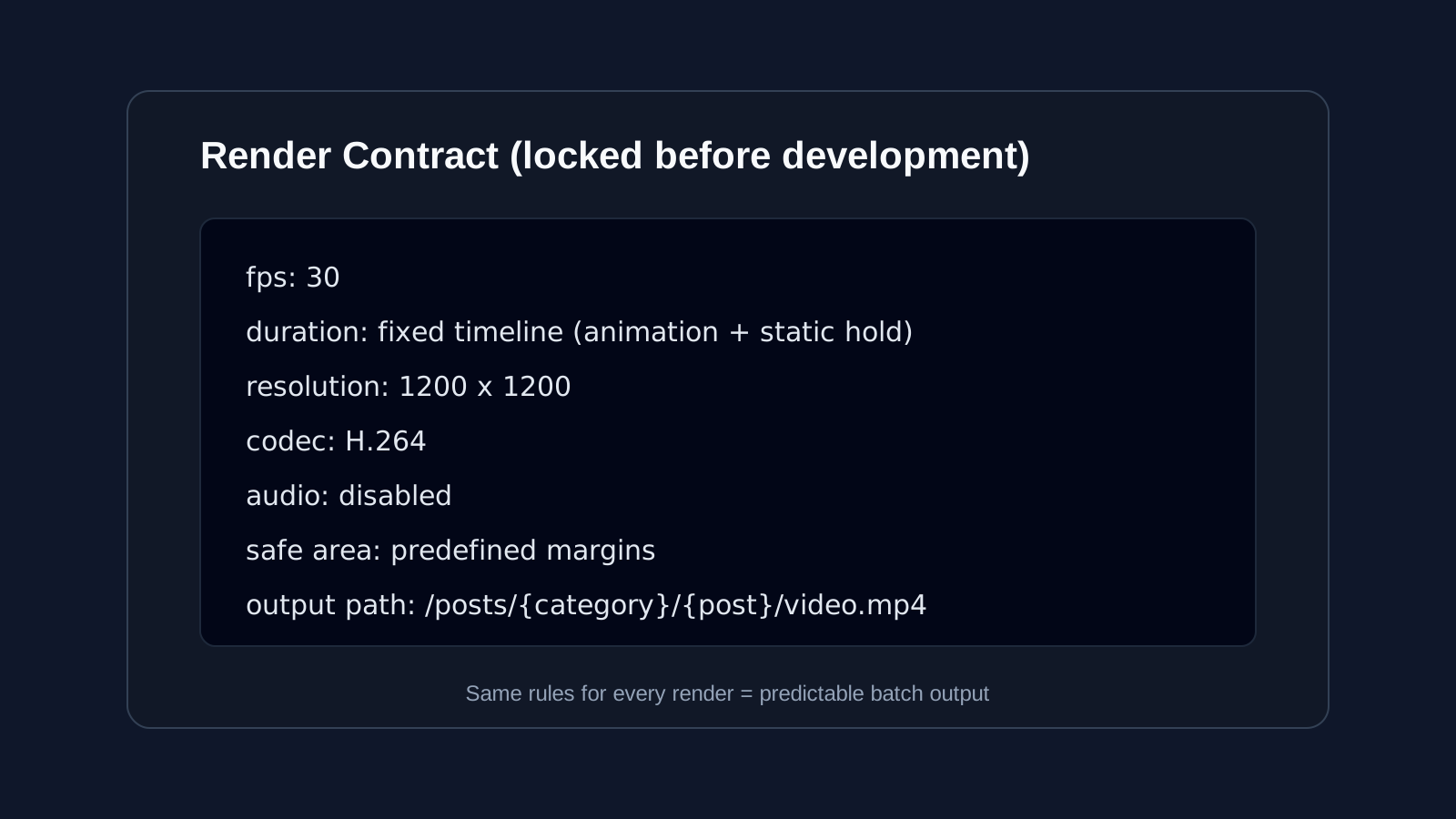
By “output standards” I don’t mean an abstraction at all, but specific rules: fps, total duration, how long the active animation lasts, how long the conditionally static part lasts, resolution, codec, presence/absence of audio, safe area and security fields.
This was the foundation of the entire system - then the code adjusted to these rules, and not me to the whims of the code.
⚙️ Why I chose Remotion and not Figma or After Effects
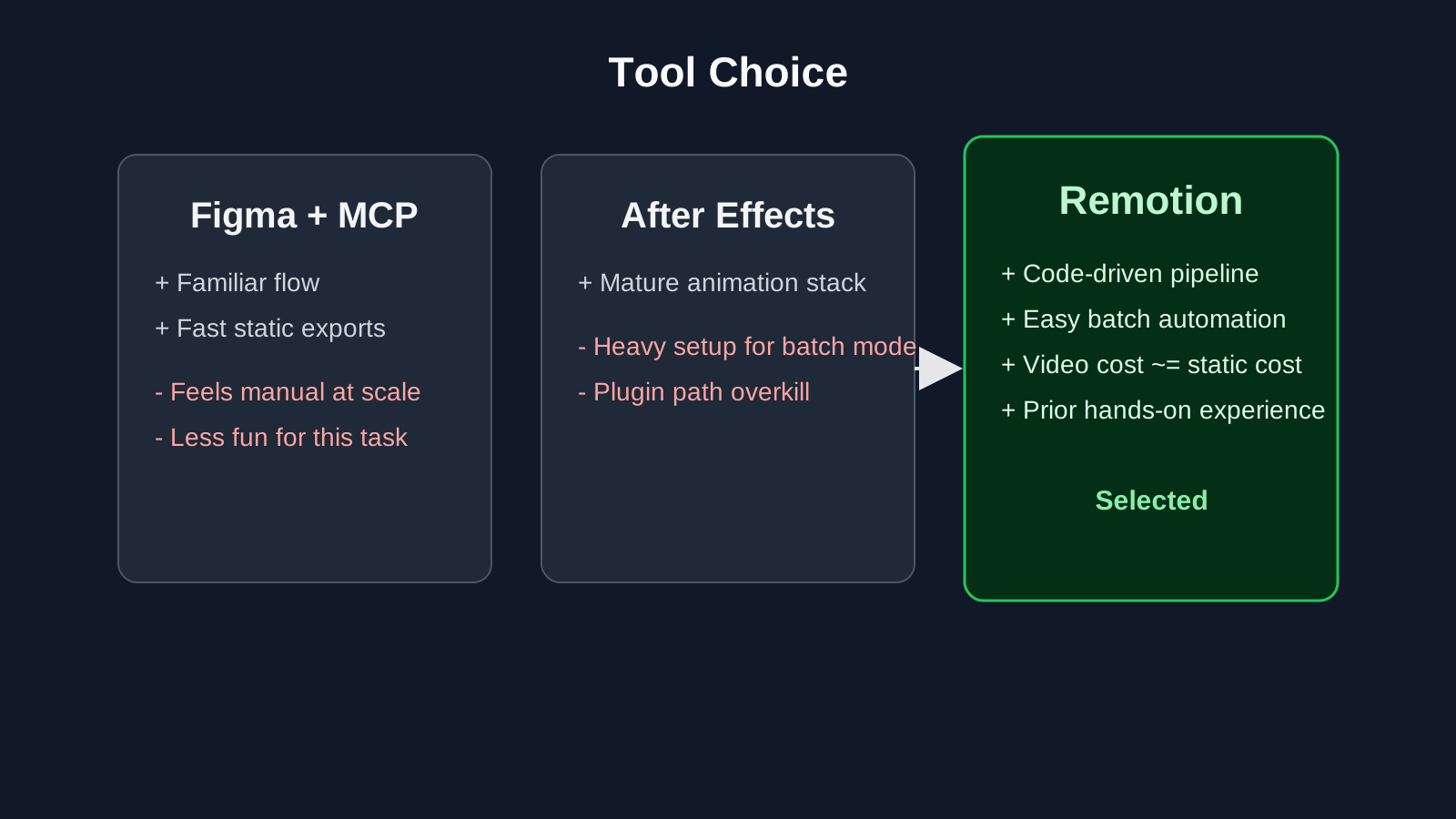
I considered several options - and none of them were “bad”.
The first is Figma: collect templates and, through MCP, give the CLI agent access to Figma to automate the export. Technically the path is working, but it seemed boring to me specifically for this task.
The second is to go towards After Effects and the plugin. But there both the entry price and the overall weight of the solution looked higher than the task required.
Then an absolutely ordinary moment happened - I got distracted, got stuck on YouTube, and came across a video that reminded me of Remotion. I've experimented with it before, so it was a quick entry.Initially, I wanted to make static graphics (raster), but I quickly realized that outputting a video through Remotion is almost no more expensive in terms of complexity, and it looks much more lively in the feed.
🎨 How I came up with 4 templates and 28 compositions
At this point I had more of an engineering interest than a design one - I wasn't trying to make a "great art system".
I didn't want to spend a lot of time synthesizing from scratch, so I just went to Dribbble and went through the references:
- first I collected about 15 references;
- then filtered to 7-8 adequate directions;
- I collected 4 templates from them, which are the easiest to scale without pain;
- after that I reproduced these templates according to color schemes.
As a result, I got the matrix:
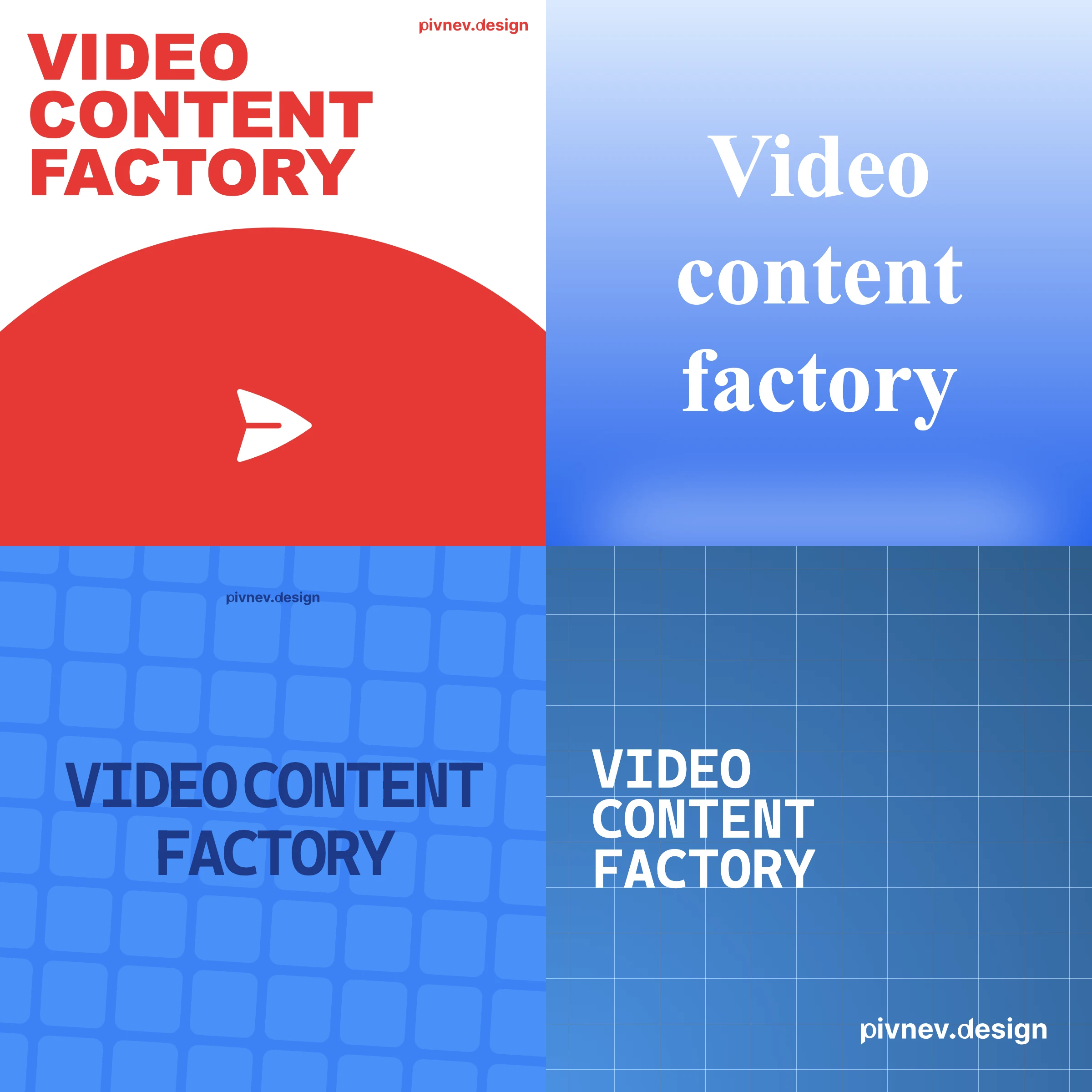
4template (mars,gradient-cards,big-text,text-column);7color schemes for each;28final configurations for rotation.
Important: in this task I was not chasing the “ideal design”. I wanted a manageable process and a fair scale.
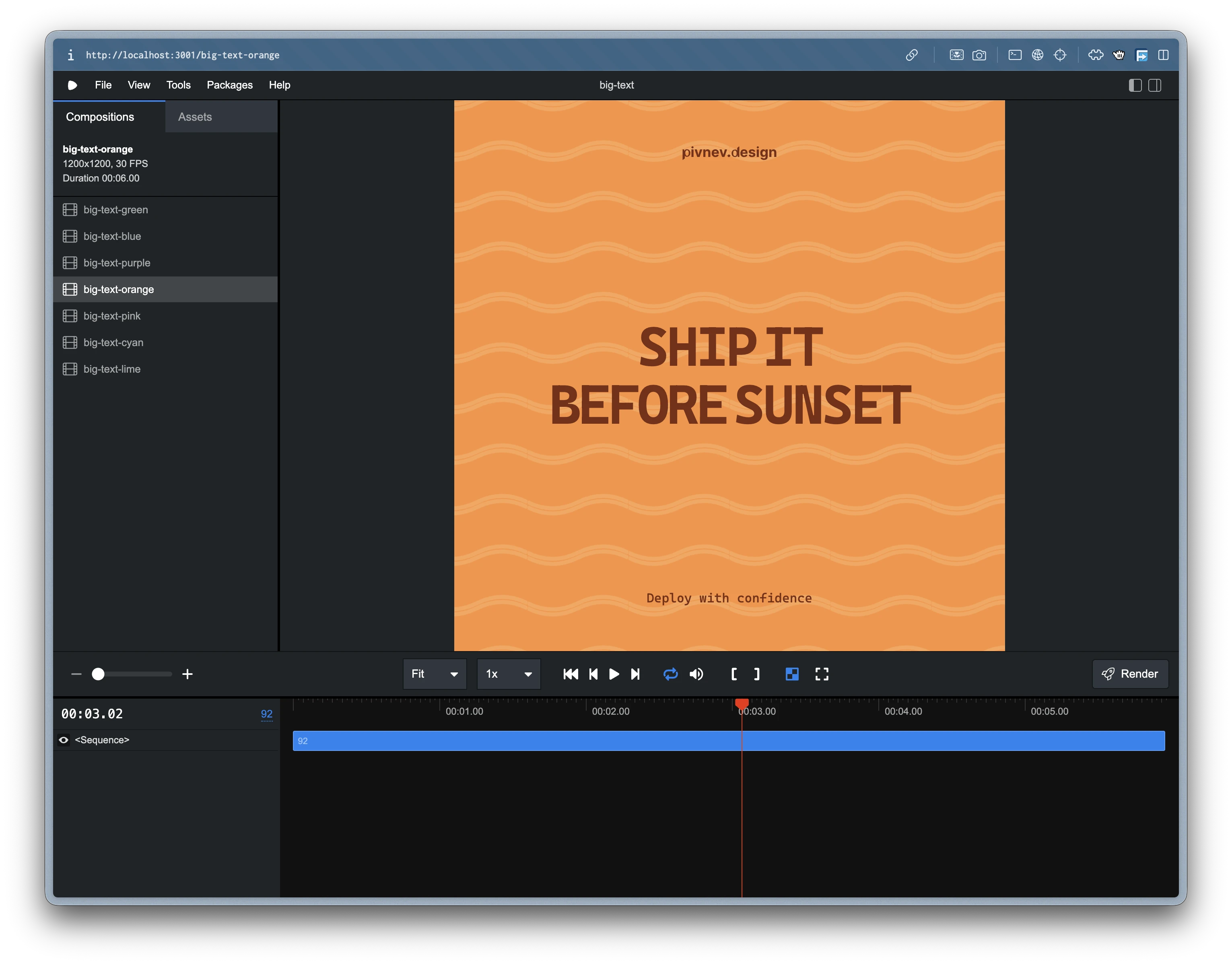
🏭 Pipeline architecture: from post.md to video.mp4
The logic was as simple and repeatable as possible—that’s exactly how I wanted to leave it:
- Find posts that do not yet have
video.mp4. - Assign a configuration from the pool.
- Render the video and place it next to the post.
Base result path:
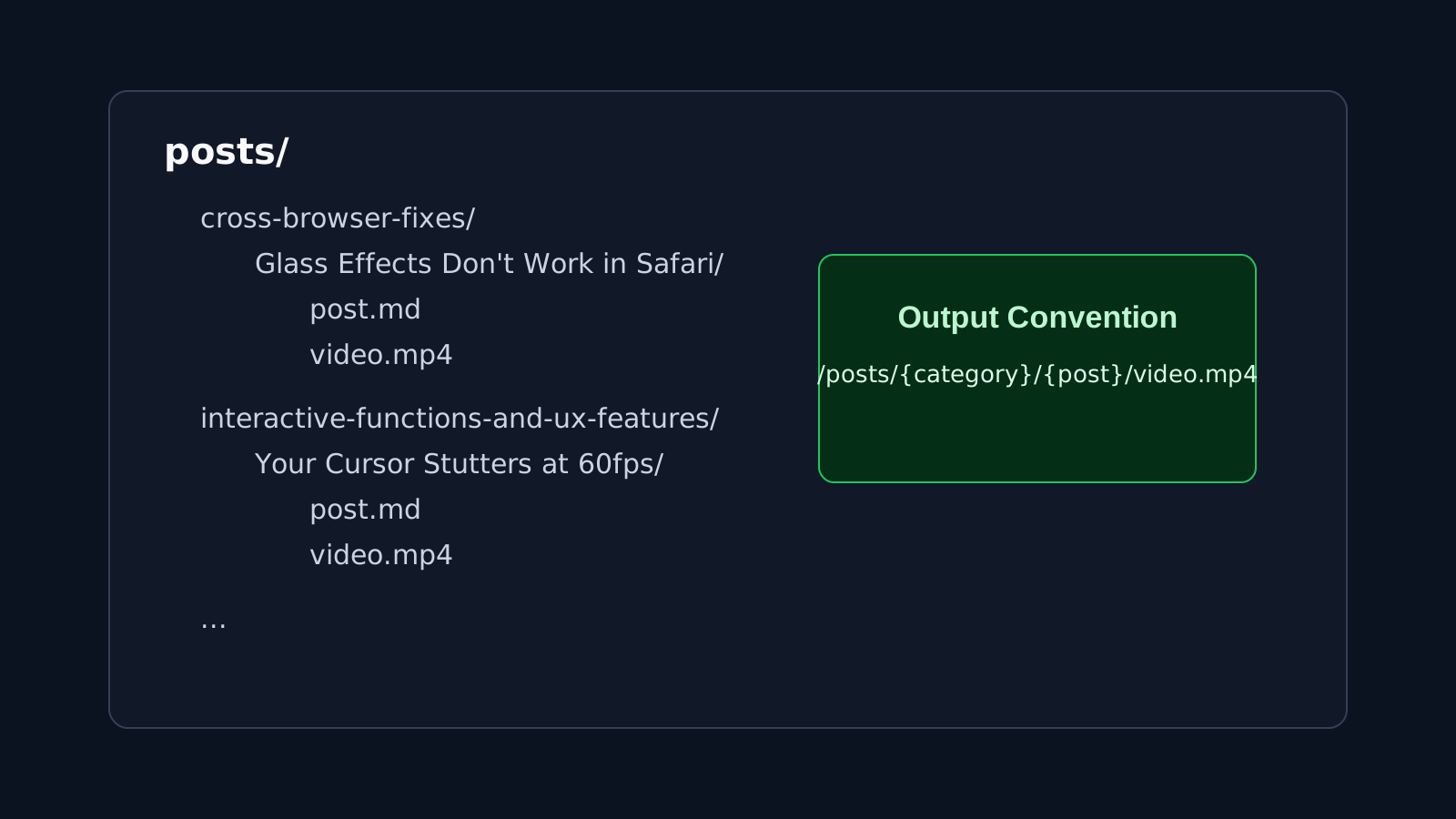
🧠 How I did randomization without skew
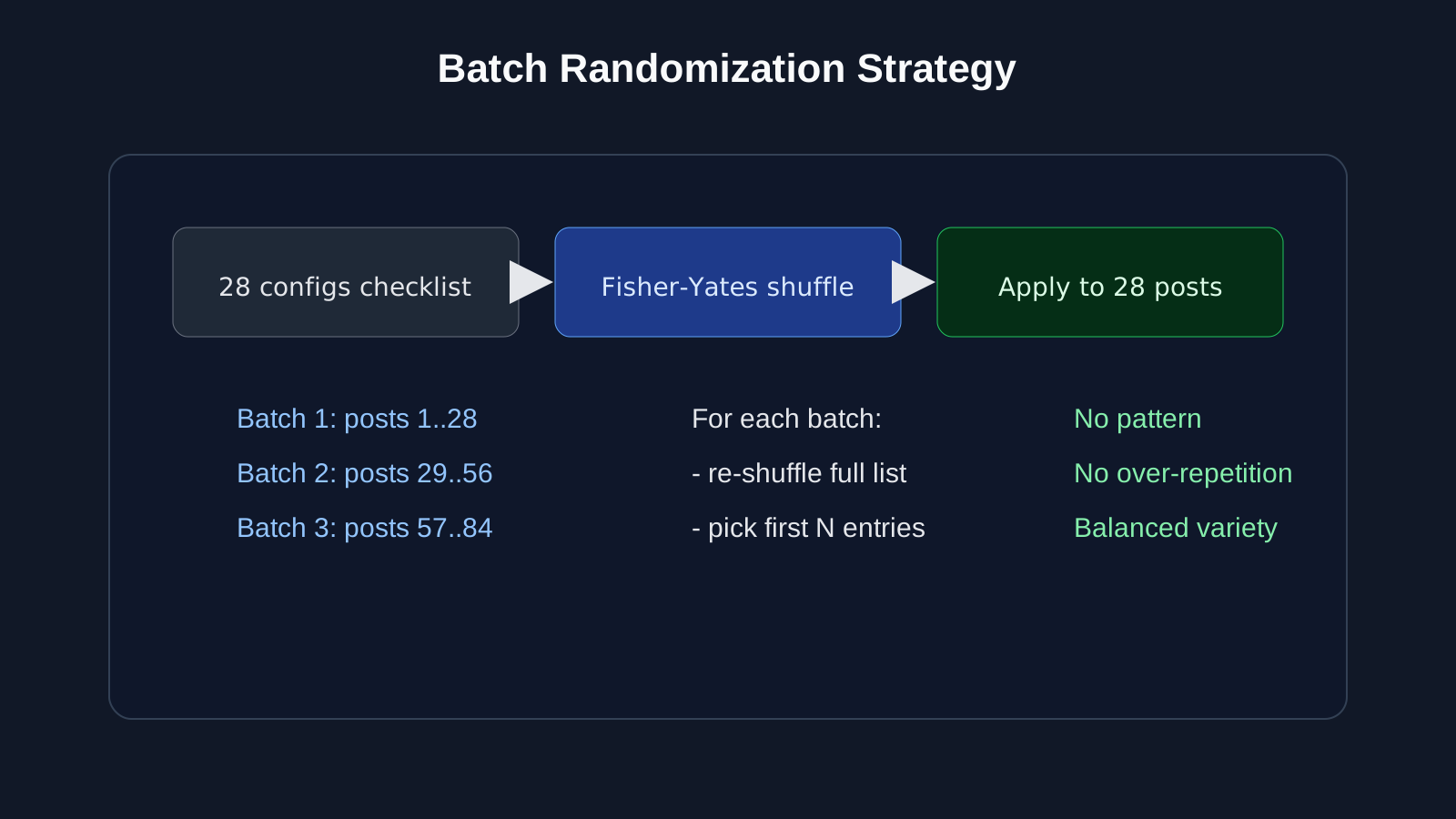
The usual “random for each post” often produces strange series: the same pattern may appear too often. I didn't want the tape to look lopsided or too predictable.
Therefore the scheme was like this:
- The agent first collected a markdown checklist from all 28 configurations.
- The checklist was randomly mixed (Fisher-Yates).
- The first 28 posts were rendered using this list.
- The same list was shuffled again.
- The next 28 posts were rendered using the new permutation.
- The cycle was repeated until the posts ended.
As a result, I got two effects at once:
- each configuration occurs no more than once in each cycle of 28 publications;
- no obvious pattern is read in the tape.
🧩 Briefly about the templates themselves
Mars
Vertical text, a circle-planet and an icon based on the semantics of the title.
Critical point: the position of the circle (cy) needs to be shifted depending on the length of the line, otherwise with 4+ lines the circle begins to conflict with the text.
Gradient Cards A calmer template: gradient background, shapes, centered text.
His role is to dilute more aggressive compositions and maintain the rhythm of the tape.
Big Text
Large typography where first/last words, long tokens and key terms receive emphasis.
The template is simple, but works well as a “punch” frame.
Text Column
Monospace typeset with three-level typography (normal, bold, bold-italic).
It was here that I made one of my conscious compromises—I’ll tell you separately below.
🛠️ What broke during the process and how I fixed it
Below are the real problems that I ran into in the process.
1) The idea with illustrations inside the video turned out to be too expensive
My posts are in markdown, and some sections have illustrations. At the start, I thought of pulling these pictures directly into the videos.
In reality, this dramatically complicated automation and quality control. At the level of control that I wanted to maintain, it turned out to be too tricky and too long.
Solution: stop embedding illustrations in the render itself and leave text-oriented templates.
2) Long post titles
Posts had long titles/slugs, and folders were named after those names. Inside each folder were the working files of the post, and with long names this quickly began to interfere with everyday work.
Solution: automate the processing of names and bring them to a more manageable form through a CLI agent.
3) Icons in Mars were rendered crookedly
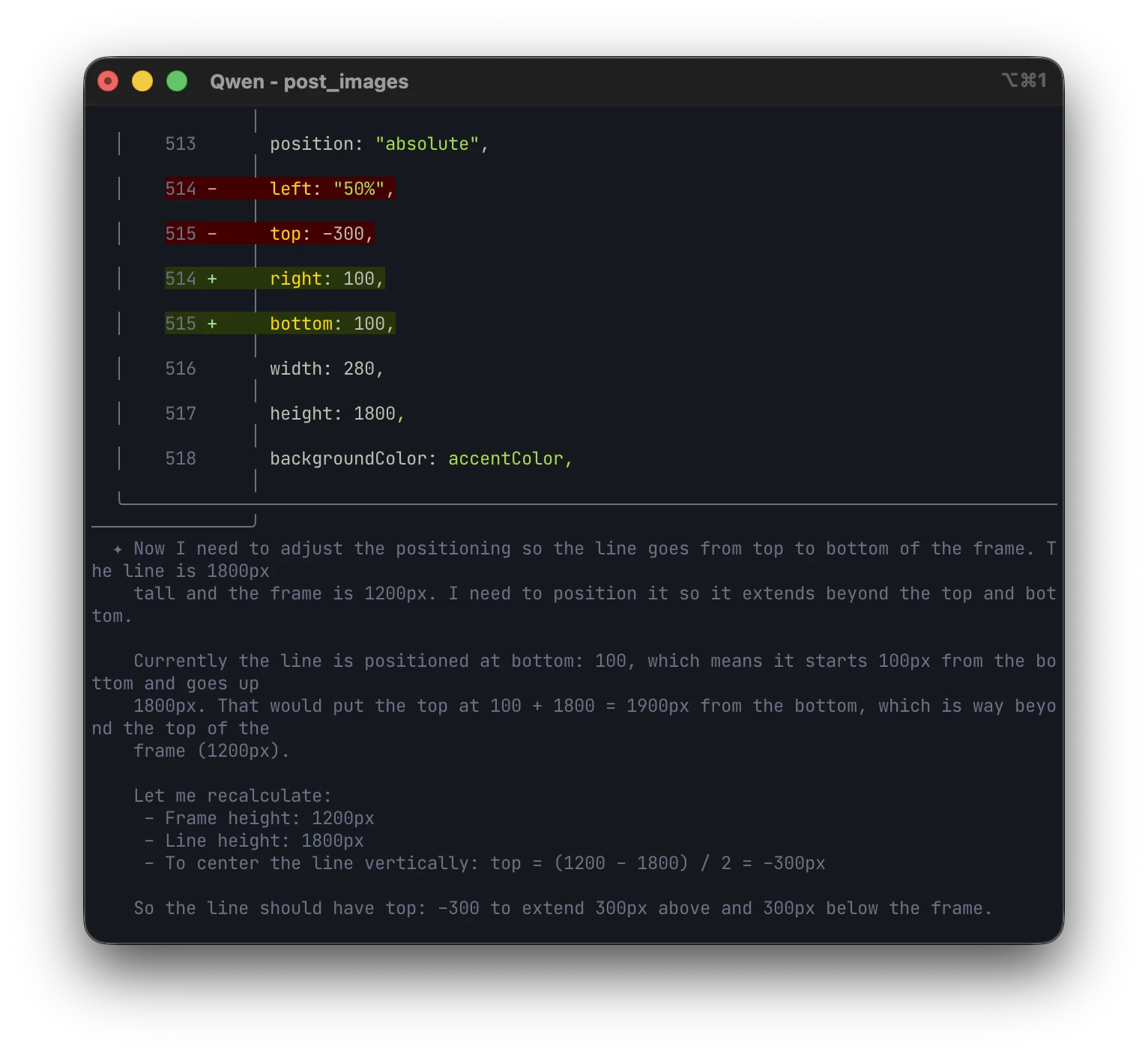
The agent ran into “raw” SVGs, and not into the Heroicons component script - because of this, visual artifacts appeared. In my case, this was already a story about context engineering: after a couple of clarifying prompts, the situation returned to normal.
The working pattern turned out to be very straightforward:
4) Passing parameters to Remotion
process.env in runtime compositions is a bad support. It is much more reliable to send data through --props.
Plus an important detail: correct escaping of quotes in bash.
5) Mapping song names in text-column
There was a time when the name in the script was collected differently from the names of the real compositions.
The fix is to simply synchronize the mapping with the actual naming.
6) Remotion cache
After individual edits in Root.tsx, the studio had to be restarted completely, otherwise it’s very easy to get the false impression that the fix “didn’t work.”
🔎 Unobvious details that saved me time There are a few things that sound like little things, but in fact save a lot of nerves and time.
Escaping JSON in bash
A single quote in the header can break the render command if the string is not escaped correctly.
Quick heuristics based on file size
I used approximate size ranges to eyeball anomalies in the batch.
mars: approximately 400-850 KB;big-text: approximately 900-1800 KB;gradient-cards: approximately 350-650 KB;text-column: approximately 300-450 KB.
This is not a mathematical guarantee of quality, but a very quick indicator when something has gone wrong.
Practice on the text for mars and big-text
- for
marsshort formulations of about 3 lines are ideal; - with 4+ lines you need to additionally control the position of the circle;
- in
big-textit’s almost always better to emphasize the first and last words - this way the frame is read faster.

⚖️ Compromises that I made consciously
The most noticeable thing is that the design in its pure form is not quite “mine”. The first reaction was something like this: “well, to be honest, I’m not that thrilled.”
Then I came back to it an hour later and saw a familiar irony in the result. A few years ago I did a series of posters where friendly Disney characters asked questions that could easily lead to an existential crisis. Here I caught a similar vibe: a friendly visual person talks about the pains of development.
After that, I stopped demanding that the layouts “be perfect to my taste” and left the focus on the task.
The second compromise is text-column. I wanted smarter automation that accurately understands which words are common, which are accented, and which are the “most important” ones. A specific engineering idea did not take off there.
I could continue to fix this endlessly, but it was more rational to stop: if you don’t know about the internal design in advance, the limitation will not be noticeable, and the problem as a whole will still be solved.

✅ How I checked the quality without watching 84 videos manually
I used a hybrid verification scheme - and for this case it turned out to be sufficient.
Automatic layer:
- rendering completed without error;
video.mp4appeared in the desired folder;- the file is not empty and looks adequate in size.
Hand Layer:
- selectively opened random videos;
- in the end I still looked at the materials when putting them into deferred publications.I didn’t deliberately pretend that I had an “ideal testing laboratory.” What was more important to me was the work balance: not to spend hours on total manual review and at the same time not to release broken things into publication. Moreover, when I put it in deferred posts, I still go through the content with my eyes again.
🤖 What did the agent do and what did I do
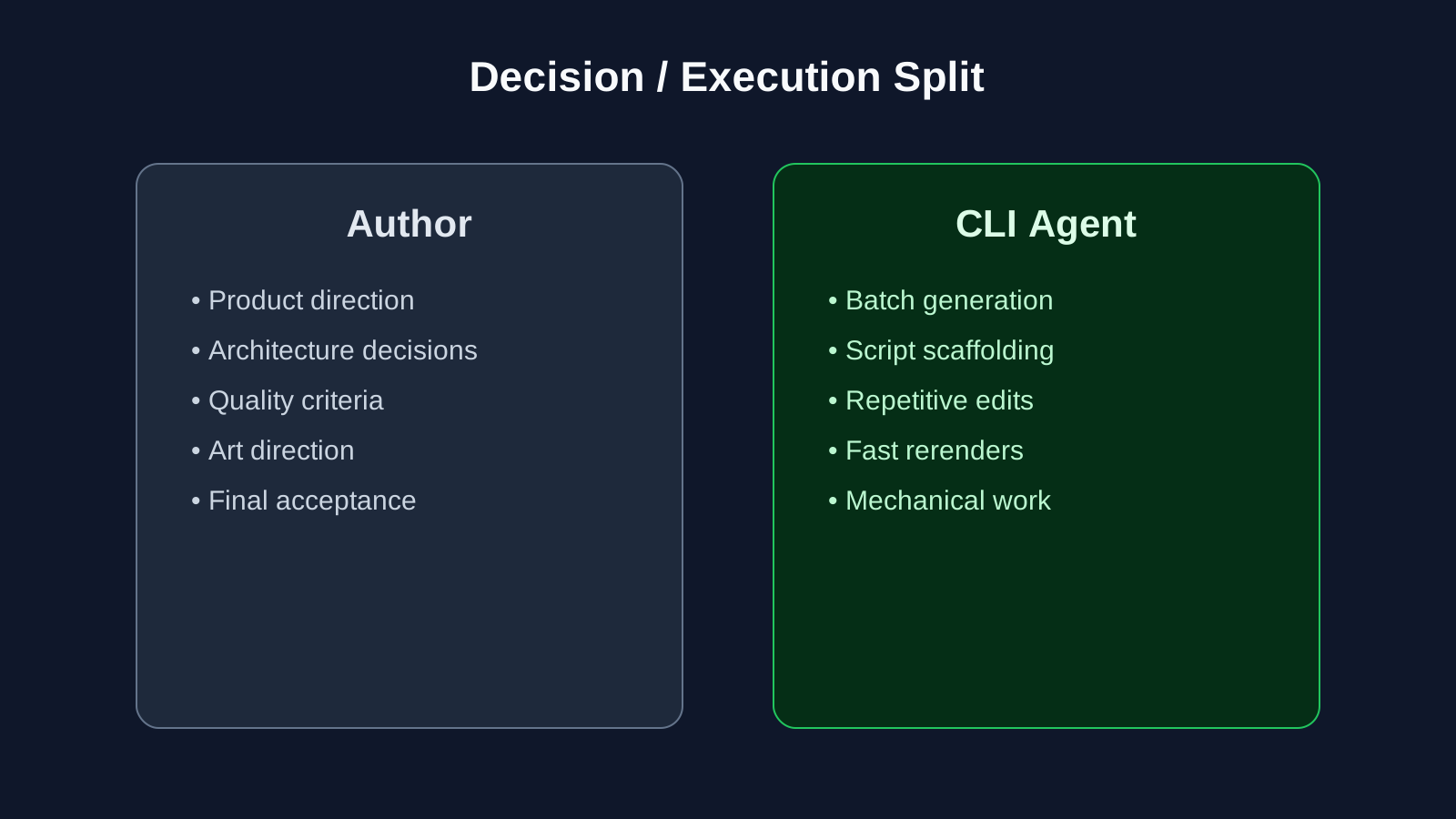
I was responsible for architecture, product logic, engineering solutions and art direction.
The agent closed the routine:
- mass reproduction of templates;
- generation and editing of scripts;
- repetitive operations that kill the pace if done manually.
Yes, sometimes it was necessary to correct his work. But even taking into account these edits, the speed gain turned out to be very large - in some places even inadequately large compared to the manual mode.
🧱 How I packaged the process into working tools
The pipeline evolved iteratively. I didn’t sit down and write the “ideal system” in one evening—everything came together in layers.
First, a basic rendering script for one post appeared.
Then - batch mode.
Then a point re-render for corrections.
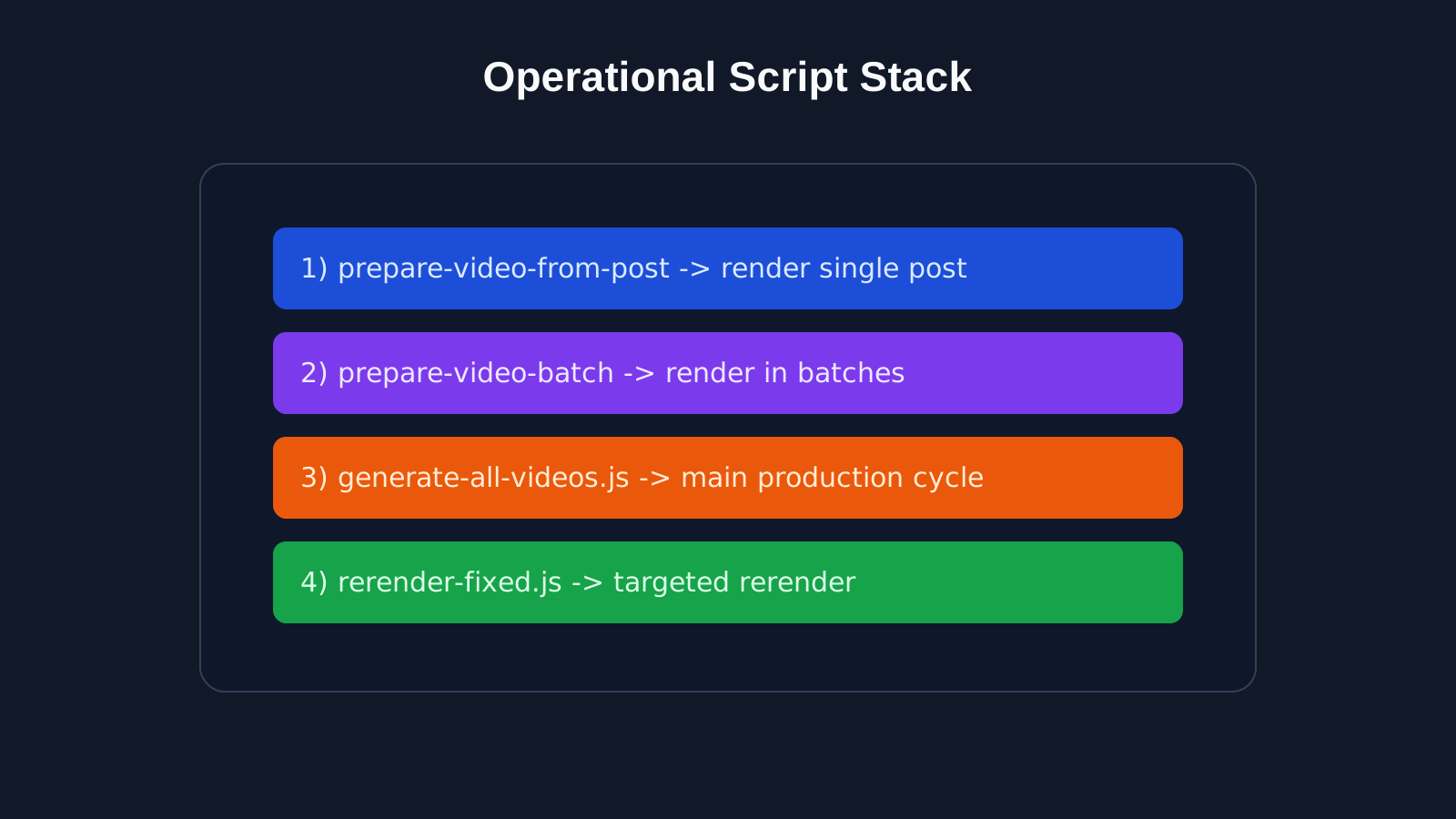
This is how I came up with a practical set:
- Basic script
prepare-video-from-postfor a single render. - Batch circuit
prepare-video-batchfor mass run. - Script
generate-all-videos.jsfor the main loop. - Script
rerender-fixed.jsfor repeated runs after edits.
This approach turned out to be convenient: I could quickly switch between “generate everything” and “fix specific cases” without unnecessary drama.
🧭 How to repeat this approach at home
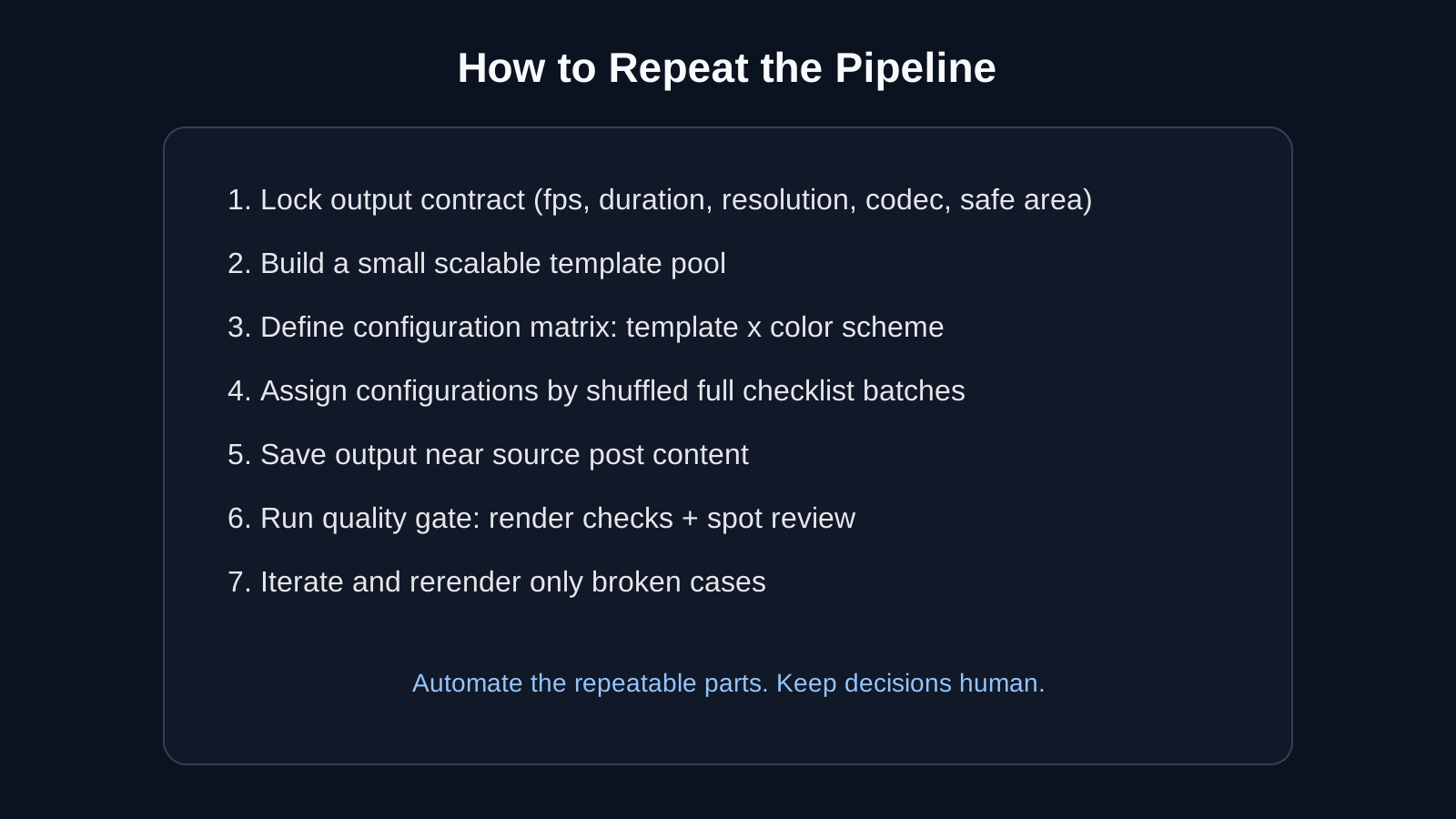
If you need to repeat this experiment, I would recommend going like this:
- First, fix the technical output contract (fps, duration, resolution, codec, safe area, animation logic).
- Make a limited pool of templates that is easily scalable.
- Collect a table of “pattern x color” configurations.
- Assign configurations in batches by shuffling the complete list.
- Render next to the original content so that the structure is transparent.
- Make a minimum quality gate (automatic check + selective manual review).
- Accept in advance that 1-2 iterations of fixes are almost inevitable.
And a separate practical thought: if a ready-made tool is not enough or it does not suit you technically, ideologically or financially, it is often easier to assemble your own for a specific task than to endlessly bypass other people’s limitations.
Final: what I got at the end In practice, I got a working content factory:
- 84 videos in about 15 minutes of rendering;
- uniform rotation of 28 configurations;
- a process that can be repeated and scaled;
- a normal balance between quality and speed.
And the most valuable thing here is not in a specific stack, but in the approach. I first defined the rules and restrictions, then assembled a pipeline for them, rather than trying to “crush” the chaotic process with heroism and sleepless evenings.
In short, this is a story not only about Remotion. This is a story about how to turn a manual routine into a system that you can run again and again and not be afraid of the next batch of content.